
FxMakersLab Apex EA
Apex is our flagship automated trading engine — precision trading engineered from Smart Money Concepts (SMC), refined price action, and adaptive volatility filters. Optimised for indices, metals and forex on M5–M15.
This page holds detailed information, performance summaries, demo media and installation guidance. Licensing is IP-bound for security — read the license section below.
Live Demo — Strategy Tester / Demo Account
Demo account footage (recorded live). Use headphones for audio commentary (if present).
Key Backtest Snapshot
Summary derived from internal backtests on US30 (M15). These results are examples from the strategy tester and may vary on live accounts. Backtest charts and more detailed metrics are shown below.
Backtest Visuals
Equity / Balance
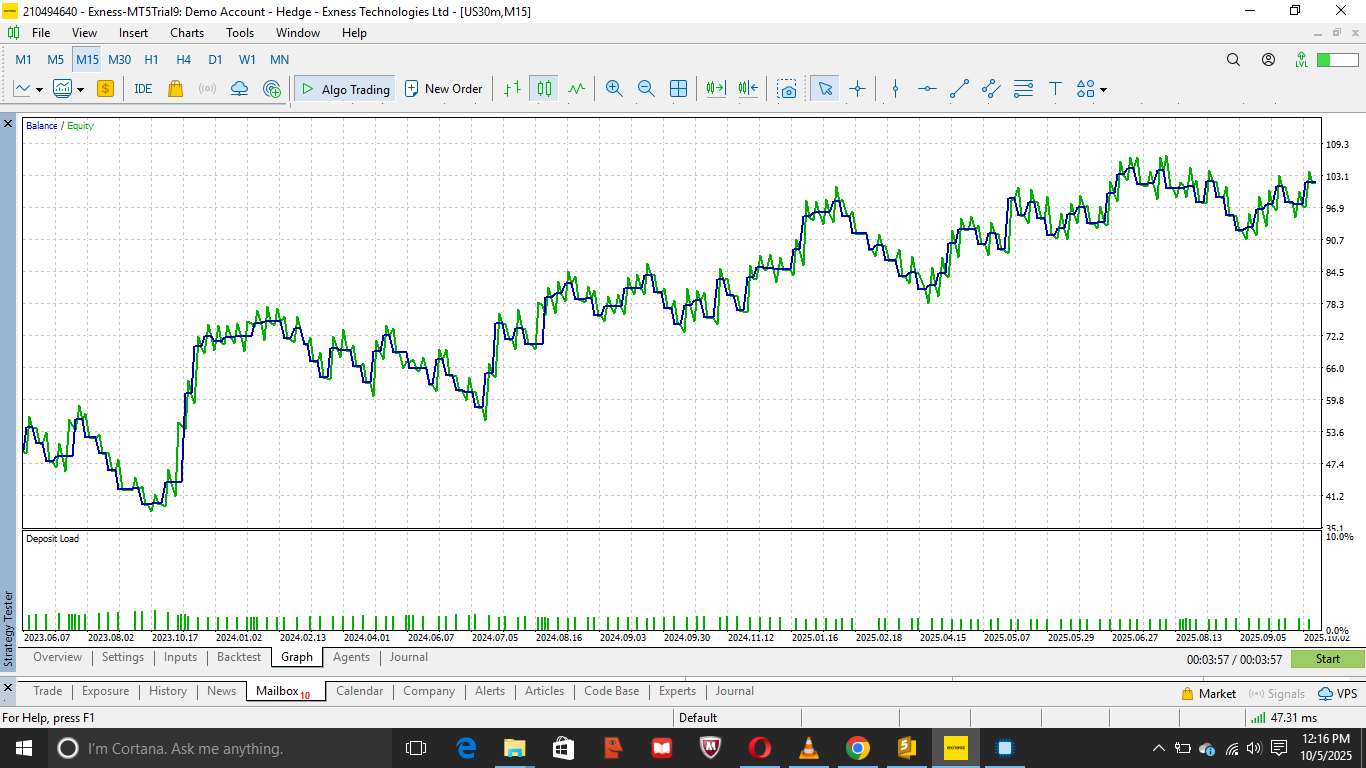
Equity and balance curve from the strategy tester.
Backtest Graph
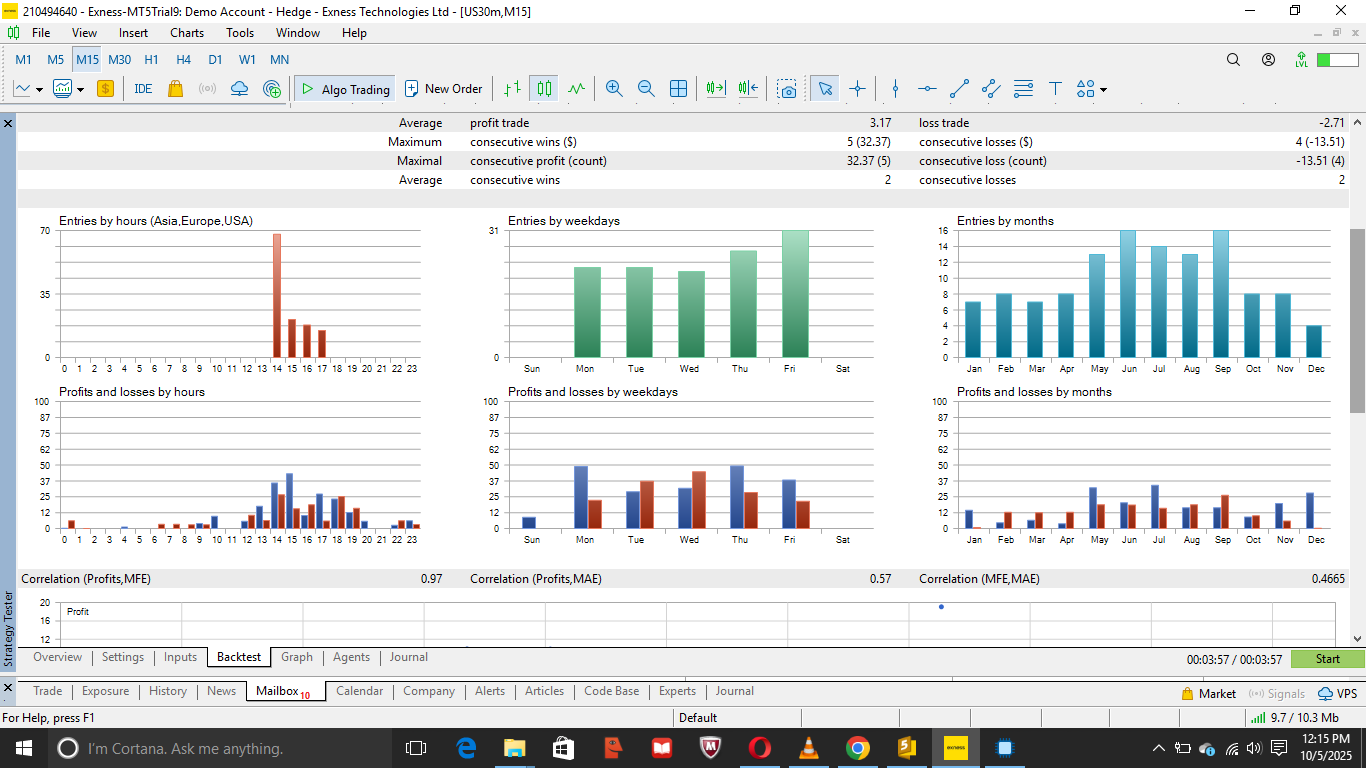
Growth chart and drawdown visualization.
Detailed Report
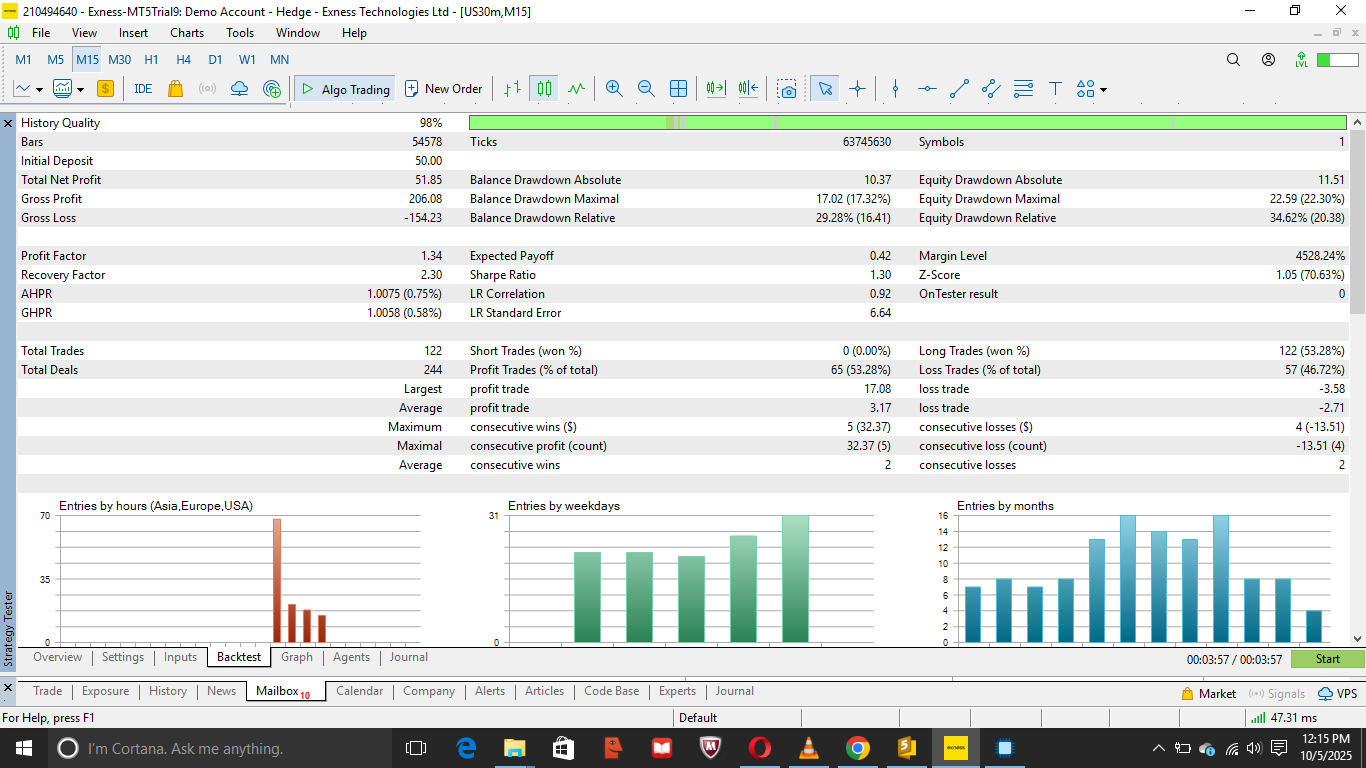
Report snapshot showing trade distribution and hourly performance.
MT5 Desktop Preview
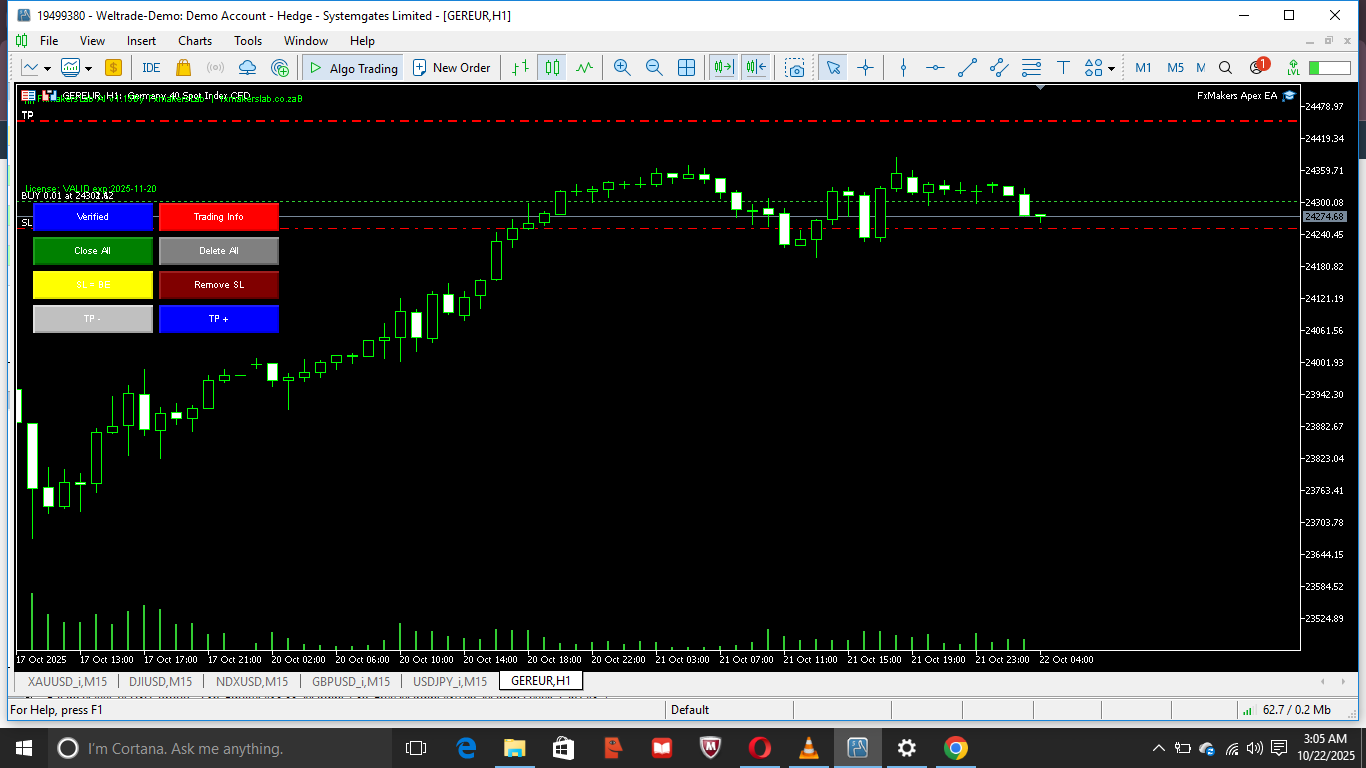
Apex integrates cleanly with MT5 desktop. The EA includes a compact UI for risk settings,
trade filters, and license configuration. Always use the latest MT5 build and allow WebRequest
for https://fxmakerslab.co.za so the EA can verify your license.
Installation
- Download the EA file from your account (MT5 .ex5) and save it in
MQL5/Experts. - Restart MT5 or refresh the Navigator to see FxMakersLab Apex.
- Attach the EA to an M5 or M15 chart (recommended pairs/indices listed in the manual).
- Open EA properties and paste your FXMXXXX license key into the License field.
- Ensure Tools → Options → Expert Advisors → Allow WebRequest for listed URLs is enabled and add:
https://fxmakerslab.co.za - Click OK. The EA will verify the key online and bind the key to your IP (first activation).
Activation & License Policy
IP-bound licensing: When the EA verifies your FXMXXXX key for the first time it will be bound to the public IP address used during activation. This prevents sharing and unauthorized resale.
If the same license key is used from another IP, the server will return "Access Denied - License already used on another IP". If you legitimately change IPs (VPS move or ISP change) contact support to request an IP reset/transfer. Transfer requests are reviewed to prevent abuse.
Performance Insights (Selected Backtest)
The sample backtest shown above was performed on US30 (M15). Key takeaways:
- Consistent positive expectancy with Profit Factor ≈ 1.34.
- Win rate around 53% with an average payoff of $0.42/trade.
- Max equity drawdown ~ 22% in the sample — use appropriate lot sizing and risk settings when scaling live.
- Most effective during high volatility windows (NY session). Consider session filters for low volatility periods.
These results are illustrative. Live performance depends on broker execution, spread, slippage, and account sizing.
FAQ
Does Apex support hedging accounts?
Yes — Apex supports both hedging and netting accounts. Check EA settings for your preferred mode.
Can I use one license on multiple devices?
No — licenses are bound to a single IP on activation. Contact support for transfer requests.
What pairs/instruments does Apex trade?
Apex is optimised for indices (e.g., US30 / NAS100), metals (XAUUSD) and major FX pairs. See the manual for exact instrument list.
Is there a demo version?
Yes — you can test Apex on a demo account first. Demo activations still bind the license unless otherwise noted.